English
 Русский язык
 بالعربية

Products Description
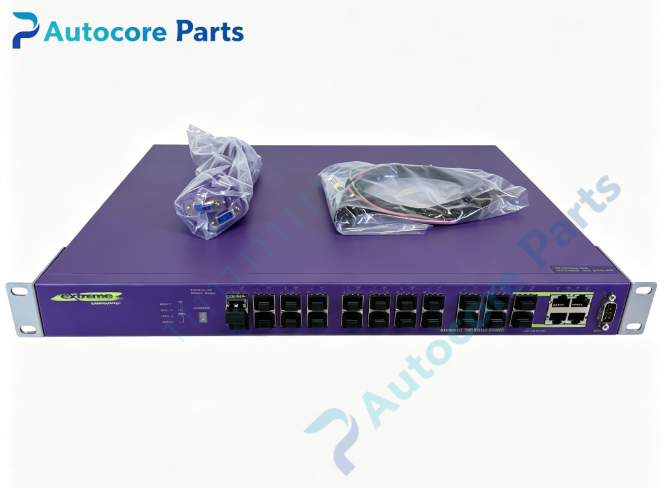
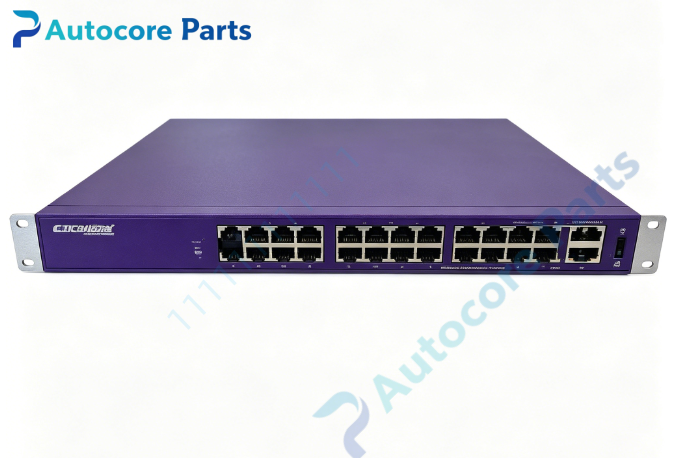
Extreme Networks Summit X450a-24xDC-AR86 Gigabit Ethernet Switch
Technical SpecificationsModel:X450a-24xDC-AR86 Brand:Extreme Networks Product Type:1U Rack Mount Gigabit Fiber Ethernet Switch
Front Ports:
20 × fixed 1000BASE-X SFP fiber ports
4 × combo shared ports: 1000BASE-X SFP OR 10/100/1000BASE-T RJ45 copper
1 × RJ45 serial console port for local CLI management
1 × out-of-band 10/100BASE-T management port
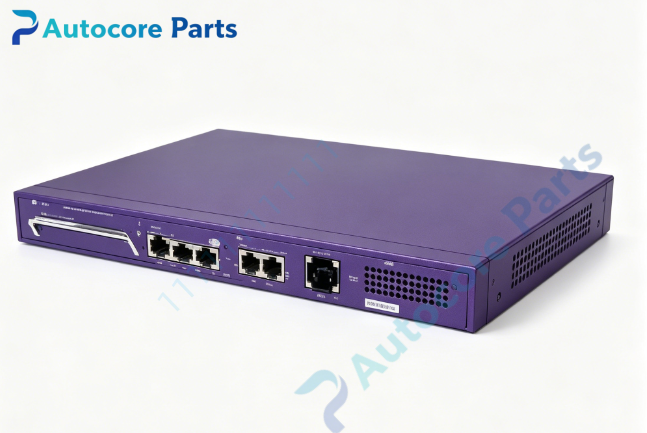
Switch Fabric: 128 Gbps Forwarding Rate: 95.2 Mpps Max Jumbo Frame: 9216 bytes VLAN Capacity: Up to 4094 VLANs MAC Address Table: 16K MAC entries ACL: 2048 centralized ACL rules QoS: 8 hardware priority queues per port Rear Expansion Slot: Single slot for XGM2 dual 10G SFP+ uplink module Power Input: -36VDC ~ -72VDC (nominal -48V DC telecom power) Redundant Power: Support external EPS-150DC redundant power supply Software OS: ExtremeXOS, max supported firmware version 15.3 Operating temperature:0℃ ~ +50℃ Mounting: Standard 19-inch 1U rack mount Status LED: System power, fan, stack ID and per-port link/activity indicators
System compatibility
Summit X450a-24xDC-AR86 works with XGM2 series dual 10G SFP+ uplink expansion cards. It supports SummitStack stacking for multiple switch cluster deployment. Compatible with Extreme original 1G SFP transceivers installed on front SFP slots. Supports Layer2 switching and Layer3 IP routing, suitable for telecom cabinet and industrial sites with -48V DC power supply.
Function
Summit X450a-24xDC-AR86 is a 1U rack-mounted DC-powered gigabit fiber switch. It provides high-density SFP fiber interfaces for remote access and aggregation network. The four combo ports support flexible selection between fiber SFP or RJ45 copper connection. The rear expansion slot can add dual 10G SFP+ uplink ports to connect core network. It supports stacking, advanced QoS, VLAN segmentation and ACL security filtering, widely used in telecom room, campus long-distance fiber access and industrial network.
Installation
Mount the switch into standard 19-inch equipment rack. Connect -48V DC power cable. Use RJ45 console cable for initial configuration. Insert 1G SFP transceivers into front SFP slots and connect fiber patch cords. Install XGM2 uplink card on rear slot after power-off if 10G uplink is required. Configure stacking parameters via ExtremeXOS CLI for multi-switch stack.
Interface20 fixed SFP slots,4 combo SFP/RJ45 ports,serial console port,out-of-band management port,rear XGM2 expansion slot,DC power inlet and status LED indicators for Extreme Networks X450a-24xDC-AR86.
FeatureOriginal Extreme Networks Summit X450a-24xDC-AR86 24-port gigabit fiber switch,-48V DC telecom power,4 combo copper/fiber ports,optional dual 10G uplink via XGM2 card,SummitStack stacking,L2/L3 forwarding,jumbo frame,QoS and ACL security control. This spare is used for telecom and enterprise DC powered fiber aggregation network replacement and upgrade.
DiagnosticSwitch no power: Check -48V DC input wiring and voltage range, inspect internal DC PSU. Port link down: Verify SFP module compatibility, fiber quality and peer device status. Expansion card undetected: Power off switch, re-seat XGM2 module, confirm ExtremeXOS firmware meets minimum version. Stacking failure: Check stacking cable, stack member ID and stacking configuration. High CPU alarm: Audit ACL policy and broadcast storm control settings.
Product BriefSummit X450a-24xDC-AR86 is Extreme Networks 1U DC-powered 24-port SFP gigabit stackable fiber switch with combo ports and optional 10G uplink,classic spare for telecom and enterprise fiber access & aggregation network.
DisclaimerAll parameters are for reference only and shall not be used as the basis for quotation. Goods are scarce, overseas delivery lead time is 3-7 working days. It is only used for equipment maintenance and renovation.